DIY guide
How to Take a Professional Headshot at Home
You need a phone, a window and a plain wall. Face the window, put the camera at eye level a few feet away, and take a lot of shots with the self-timer. Below are the seven steps, and a test of what five common lighting setups do to the final headshot.
Updated 2026-10-19. Every person pictured is fictional, generated for our likeness test, and every headshot was made by the same retouching you get here.
The one thing that matters most is soft light on your face from the front. A window you face is better than any lamp, ring light or ceiling light in the house.
The seven steps
- 1
Face a window
Daylight from a window in front of you, or a little to one side, is the best free light there is. Turn off the ceiling lights so they don’t mix in. If the sun is shining straight in, wait for cloud or use a window that isn’t in direct sun: you want soft light, not squinting. - 2
Stand a step in front of a plain wall
A big step away from the wall keeps your shadow off it. No doors, frames or shelves behind your head. - 3
Put the camera at eye level, an arm’s length or more away
Prop your phone on a shelf or a stack of books at eye height. The rear camera is sharper than the front one; use its 2× lens if it has one, from a step or two further back. Close up, a phone’s wide lens makes your nose look bigger and your ears smaller. - 4
Wear something plain
Solid colours, no logos, no tight patterns. Six outfits compared. - 5
Pose: shoulders angled, face to the lens
Turn your body slightly away, face back to the camera, chin a little forward. Seven poses compared. - 6
Take 30, keep one
Use the self-timer with burst, or a Bluetooth remote. Look at the lens, not the screen. Most shots will be blinks; you need one. - 7
Pick the one with sharp eyes
Zoom in on the eyes. If they’re soft, nothing else can save it. Then check for shadows across your face and that your whole head is in frame.
We tested five lighting setups
We took 4 people and re-lit their selfie five ways, the setups people actually shoot in. Then we ran each one through our retouching and measured, with face recognition, how closely each headshot matched the selfie it was made from.

Facing a window

Ceiling light overhead

Table lamp at night
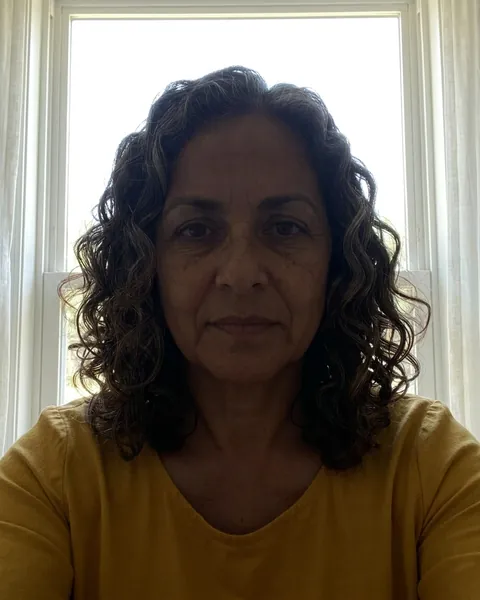
Window behind you

Phone held low

Facing a window
matches its selfie: 0.90

Ceiling light overhead
matches its selfie: 0.81

Table lamp at night
matches its selfie: 0.86

Window behind you
matches its selfie: 0.86

Phone held low
matches its selfie: 0.77
| Setup | Headshot vs its selfie | Headshot vs well-lit photo |
|---|---|---|
| Facing a window | Headshot vs its selfie ·0.86 | Headshot vs well-lit photo ·0.82 |
| Ceiling light overhead | Headshot vs its selfie ·0.79 | Headshot vs well-lit photo ·0.67 |
| Table lamp at night | Headshot vs its selfie ·0.76 | Headshot vs well-lit photo ·0.69 |
| Window behind you | Headshot vs its selfie ·0.77 | Headshot vs well-lit photo ·0.72 |
| Phone held low | Headshot vs its selfie ·0.77 | Headshot vs well-lit photo ·0.69 |
Average over 4 fictional people, so treat the gaps as a direction, not a precise measurement. 1.00 is an identical face; different people score below about 0.40; we redo any headshot under 0.60. “Well-lit photo” is each person’s original selfie. The re-lit selfies were made with an AI editor, which itself shifted faces a little, so the first column is the fairer test of retouching.
Facing a window gave the headshots that stayed closest to the photo (0.86). Table lamp at night did worst (0.76): the less of your face the light shows, the more the retouching has to fill in, and filling in is how a headshot drifts away from you.
What retouching can fix, and what it can’t
Retouching replaces the background, evens out the light and crops you like a studio portrait, so a messy room or a slightly dull photo is no problem. What it can’t do is recover detail that isn’t in the photo. A face in deep shadow, a blurry shot or a heavy beauty filter leaves the model guessing, and guessing is how a headshot stops looking like you.
Questions
- Can you take a professional headshot with an iPhone?
- Yes. Any recent phone has enough resolution for LinkedIn, résumés and print at small sizes. What makes it look professional is the light, the camera height and the background, not the phone.
- Should I use the front or rear camera for a headshot?
- The rear camera: it has a better sensor and lens on almost every phone. Prop the phone up and use the self-timer. Use the front camera only if you can’t frame yourself any other way.
- Should I use portrait mode?
- It’s fine for a plain-wall photo, but its fake background blur often smudges the edges of hair and glasses. If you’re going to have the background replaced anyway, turn it off.
- Do I need a ring light?
- No. A window gives softer, more flattering light than a small ring light, which tends to flatten the face and leave ring-shaped reflections in your eyes. A ring light helps only at night.
- What time of day is best for a headshot at home?
- Daytime, when a window is bright but not in direct sun. Overcast days are ideal: the whole sky becomes one big soft light.
- Can I take a headshot with my laptop webcam?
- You can, but webcams have small sensors and low resolution. In our test the webcam selfie still made a good headshot, but a phone photo gives the retouching more detail to work with.